Member information and setting
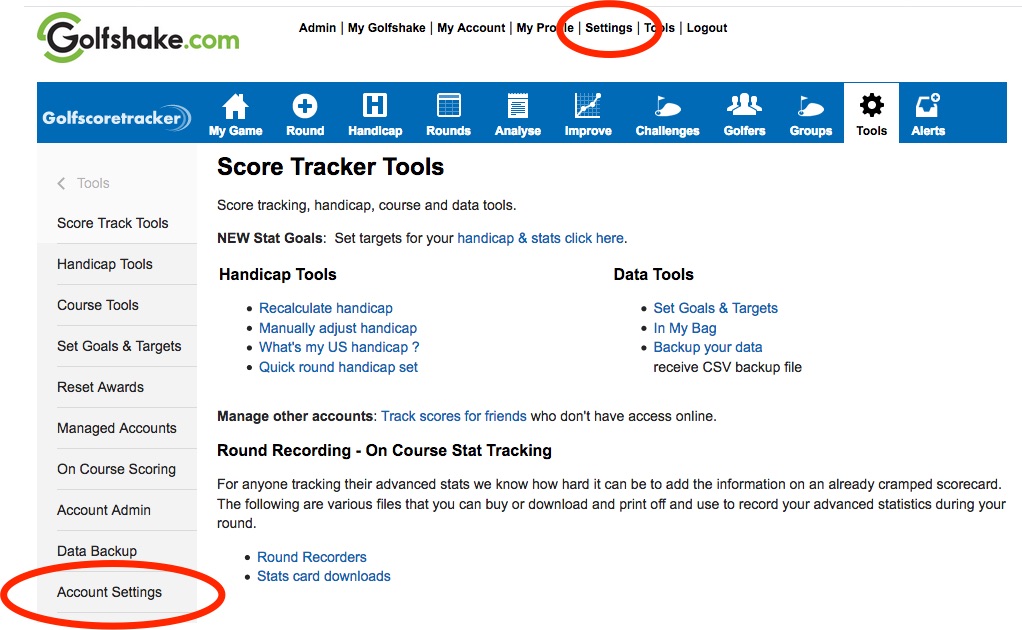
All data can be updated from the main settings page access via the top link or from within the tools section.
Profile Security
By choosing a Public Profile or Site Only profile other users and members will be able to search for you from the quick search facility within the Golfshake.com banner and view your online profile as well as sending you PM (private messages) via the Golfshake.com system.
1. Site only: golfshake.com members can view your profile and connect with you
2. Public profile: public access to non golfshake.com members is available for your profile.
3. Friends only: only your golfshake.com golf buddies can view your profile.
4. Private: no one can view your profile or find you via a search.
By choosing a "Private" profile, buddies and friends will not be able to connect with you or authenticate your rounds even if you send them a request.
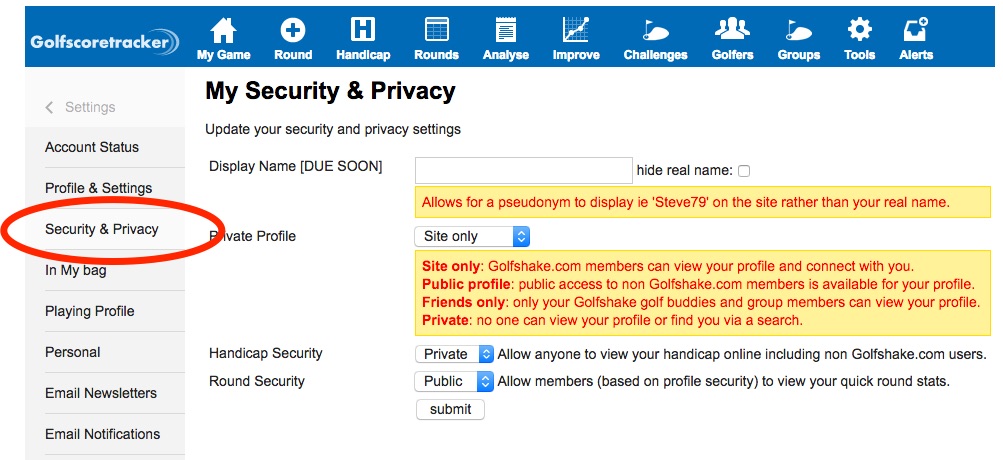
You can give members of Golfshake.com access to view your handicap and quick round stats using the drop down menus.
Data protection
The information is privately held by golfshake.com and is not available publicly to any companies or users.
Comments