The settings options in your Group mini site enable you to update, amend and add information to your site:

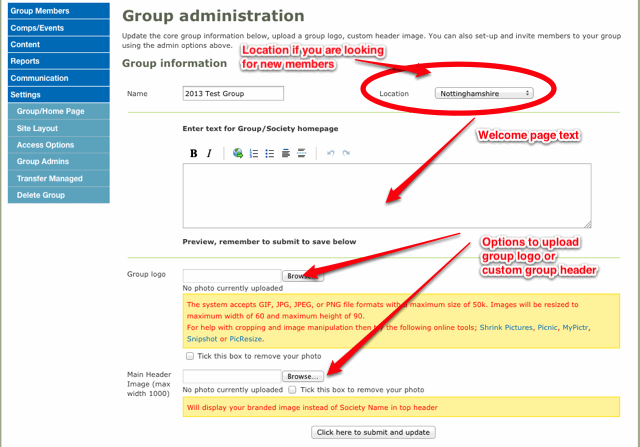
Group/Home Page - Only the group Administrator(s) can add or update the Society home page.
To do this login to the group account: Admin > Settings > Group/Home Page
Site Layout - allows you to choose which sections you would like to show within your mini site and the order in which they appear:
To update and access: Admin > Settings > Site Layout

Access Options - The following options are available:
- Site Public - allows any existing golfshake member to join your group
- Auto Approve Group Requests - Administrators have to accept members of golfshake.com to join the group
- Public Access - allows anyone who is or is not a member of golfshake.com to join your group.
To update and access: Admin > Settings > Access Options
Group Admins - help you add or amend the administrators of your society
Transfer Managed - enables you to change a managed account to a full Golfshake.com account. This enables the member to add and amend their own details.
Delete Group - This is irreversible and all data and information will be deleted from our system. Only administrators who created the group can delete.
Comments